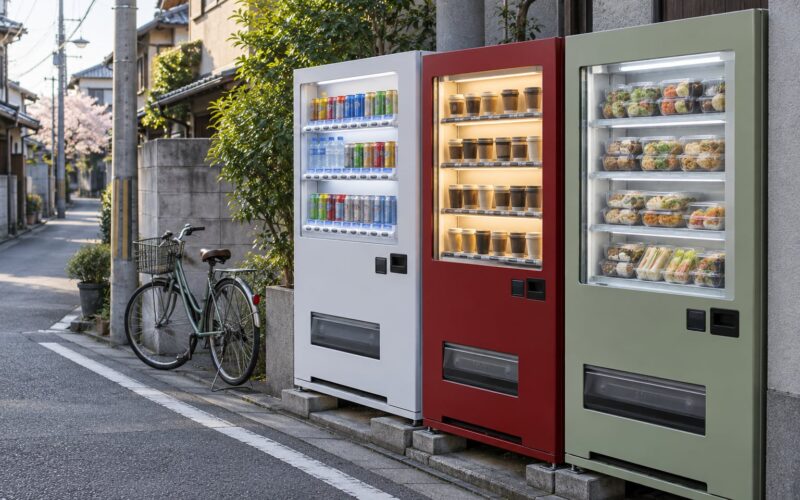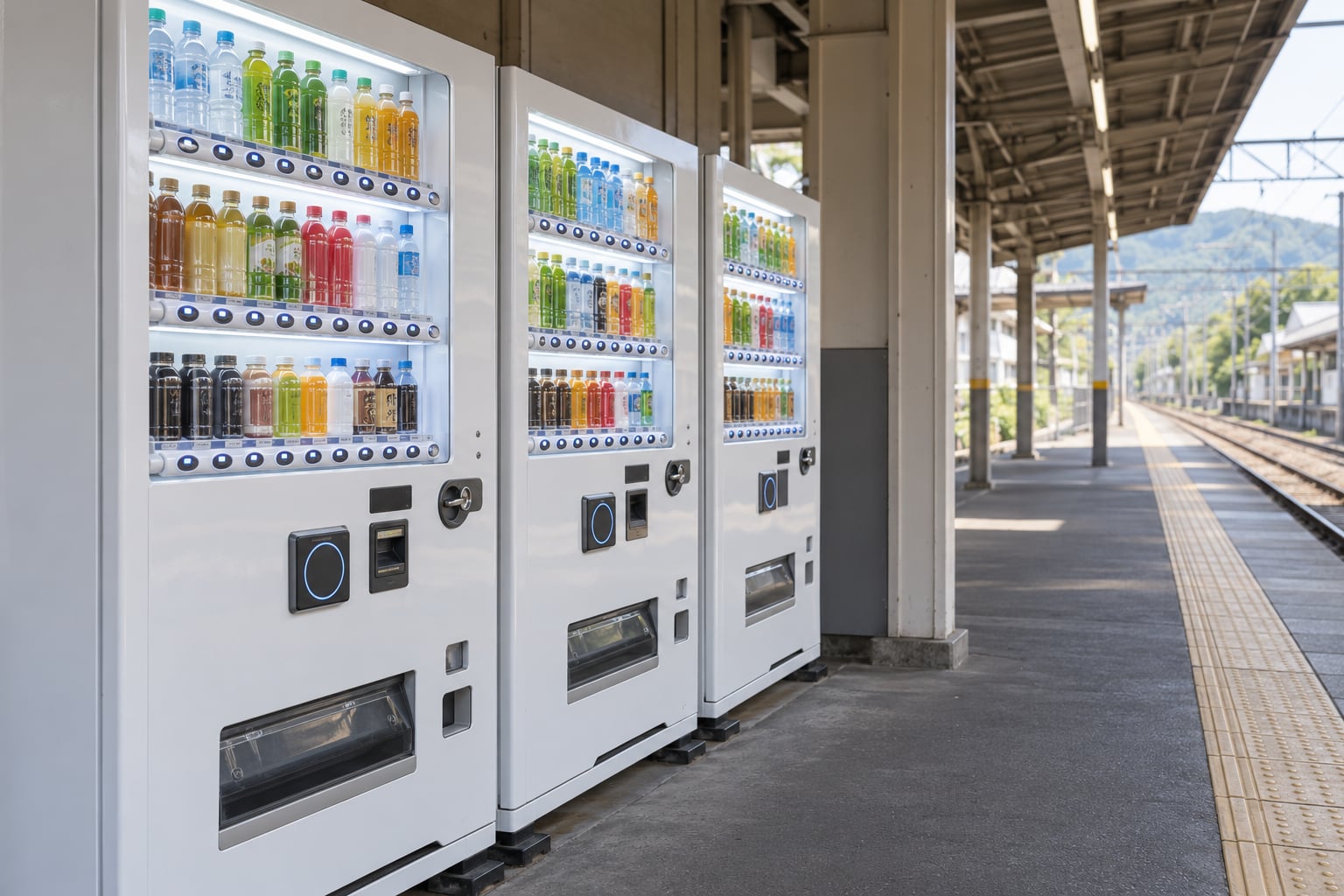
Japanese vending machines take payment in four ways: coins and banknotes, a transit IC card such as Suica or PASMO, a compatible mobile wallet on your phone, and QR or app-based payments on newer machines. Cash is the only method every single machine supports, so most people here carry both. Knowing how Japanese vending machines accept payments takes about ten seconds once you know which panel to look at.
The confusing part is that a machine can look contactless and still refuse your bank card. That happens because most drink machines use Japan’s FeliCa NFC standard, not the EMV standard your Visa or Mastercard speaks. This guide covers what each method actually needs, how to read the payment panel, and what to do when a machine rejects you or takes your money without dispensing anything.
Last reviewed October 2026. Payment acceptance changes as operators replace machines, so check the labels on the machine in front of you.
Table of Contents
- 1What Payment Methods Do Japanese Vending Machines Accept?
- 2How Do Coins and Bills Work?
- 3How Do IC Cards and Contactless Payments Work?
- 4How Japanese Vending Machines Accept Payments Without Cash
- 5Can You Pay by Phone or QR Code?
- 6What Should Foreign Visitors Know?
- 7What Happens If a Payment Does Not Work?
- 8Frequently Asked Questions
- 9Can you use a contactless bank card at every vending machine in Japan?
- 10Do Japanese vending machines still require cash?
- 11Why does my foreign Visa or Mastercard card not work?
- 12Can I pay for Japanese vending-machine purchases with a phone?
- 13What should I do if a digital vending-machine payment fails?
- 14Conclusion
What Payment Methods Do Japanese Vending Machines Accept?
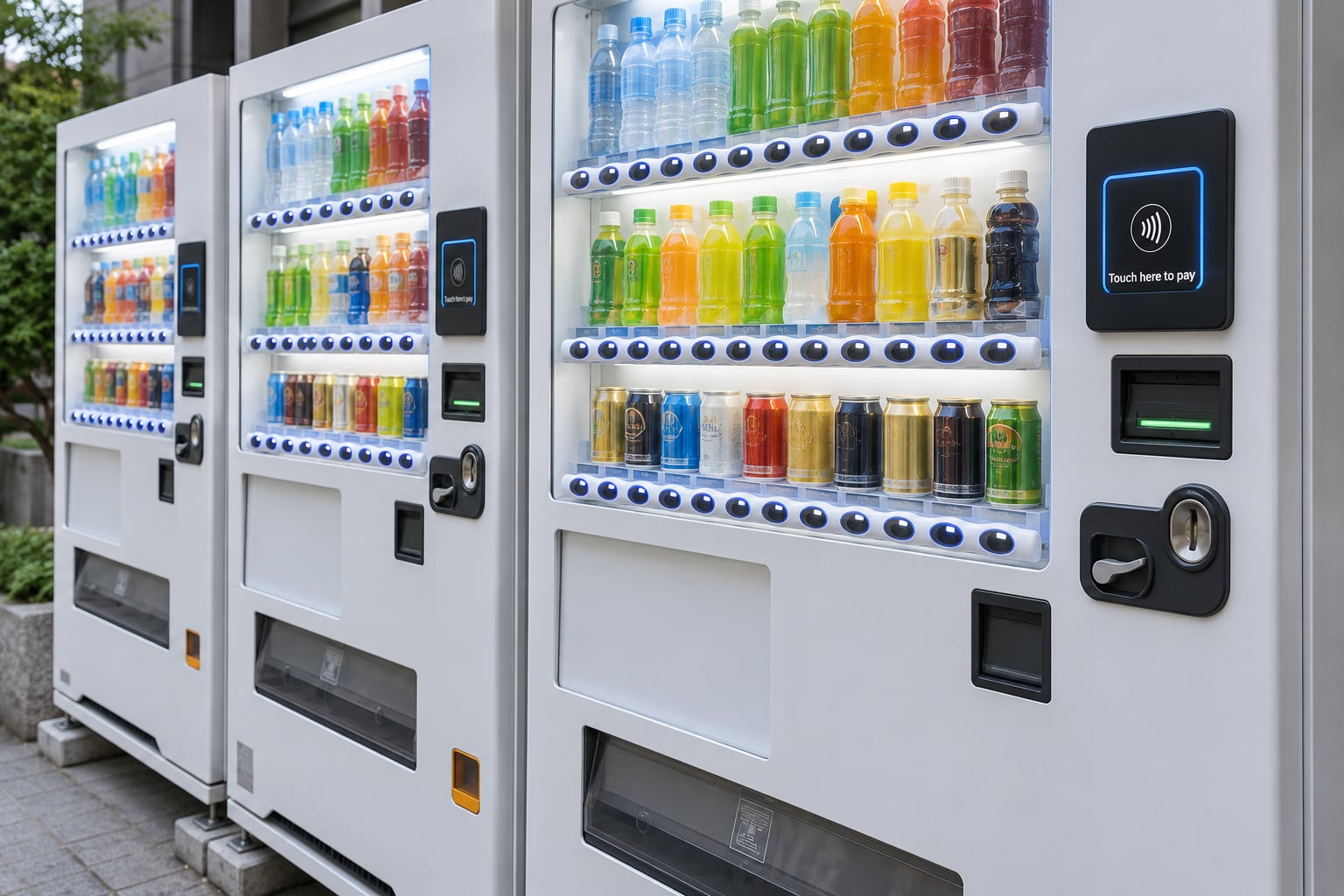
Most machines take cash. A large share also take a transit IC card, and many of those accept a phone with a card stored in it. QR and app payments appear on machines with a screen, usually ones run by a drink brand or a convenience store chain. Ordinary foreign bank cards work at ticket and parking machines far more often than at drink machines.
| Payment method | Where you usually meet it | What you need first | Most common failure |
|---|---|---|---|
| Coins and banknotes | Every machine in Japan | Yen, ideally small notes | An older bill reader returns your note |
| Transit IC card (Suica, PASMO, ICOCA, Manaca, Kitaca) | Station platforms, office buildings, many konbini drink rows | A physical card with balance, or a phone holding one | Balance too low, or no reader on this machine |
| Mobile wallet on a phone | The same machines that take the physical IC card | Mobile Suica or a stored FeliCa card on your phone | Phone locked out, battery dead, card never set up |
| Bank card (Visa, Mastercard, Amex) via contactless | Ticket machines, parking meters, some convenience store counters | A card with the contactless logo and funds available | The reader is FeliCa, so the tap buzzes and nothing happens |
| QR or app payment | Machines with a screen or QR reader, often brand-run | A Japanese app on your phone and a signal | App store region lock, or the machine is offline |
Read the payment panel before you put your hand in your pocket. Coins, a bill slot, a contactless mark and a QR square each appear only where that method works, so the machine itself is the most reliable guide you will get.
How Do Coins and Bills Work?
Coins are the universal fallback. Machines take ¥10, ¥50 and ¥100 coins without fuss, and newer models take ¥500 coins too. Older machines sometimes reject the ¥500 coin outright and hand it straight back, so keep a few smaller ones in reserve.
Banknote support varies by machine model. A ¥1,000 note is the one almost every machine takes. Many accept ¥500 and ¥100 notes as well, and machines aimed at higher-value items sometimes take ¥5,000 and ¥10,000 notes. Insert a note flat and feed it in rather than pushing it partway, or it jams partway in.
Machines give change, and it comes out of the tray at the bottom of the unit or from a flap underneath. If nothing appears, press the お釣り (oitsuri) change-return lever, which is usually a small knob or button near the coin return. Notes and coins together cover nearly any price, though a machine may not hold enough small change to break a ¥1,000 note on a cheap drink, in which case it returns the note instead.
One practical warning about bills. The current ¥1,000 and ¥500 designs carry a distinct red hue, and a large share of older bill readers either refuse them outright or spit them back out immediately. Residents on r/JapanTravelTips describe this as the single most annoying payment problem on a trip. The workaround is simple: carry ¥500 and ¥100 notes as your everyday spending money, and break a ¥1,000 note at a staffed counter when you can. Operators are replacing bill readers over time, so newer machines handle them fine.
Machine types differ in one way that catches people out. Some sell a single item at a single price and give you one button. Others let you press several buttons and buy a combination, calculating the total and dispensing everything together. Read the price label above the buttons before you insert anything, because on a multi-selection machine an overpayment comes back as change while on some single-item machines it simply returns your money.
How Do IC Cards and Contactless Payments Work?
A transit IC card is a rechargeable FeliCa smart card. The chip inside talks to a reader using the FeliCa NFC standard that Japanese transport operators and vending machine makers built their systems around. You load stored value onto it, then tap it wherever a reader appears.
| Card | Operator | Home region |
|---|---|---|
| Suica | JR East | Tokyo and eastern Japan |
| PASMO | Private operator group | Kanto region |
| ICOCA | JR West | Kansai region |
| Manaca | JR Central and Toyota | Chubu region |
| Kitaca | JR Hokkaido | Hokkaido |
These cards are interoperable nationwide, so a Suica bought in Tokyo works just as well in Sapporo as an ICOCA. Regional differences are about where each card is easiest to top up, not where it works. Long-term residents summarise the practical habit as carrying both: IC for anything in a city, cash for small shops, temples and vending rows outside the big urban areas.
The tap itself takes two seconds. Touch the flat card or the top edge of your phone to the reader, hold it still until the confirmation sound, and the machine dispenses your drink. Pull away too early and the transaction simply fails, which is the most common reason a tap “does nothing”.
How Japanese Vending Machines Accept Payments Without Cash
Look for the contactless or IC mark on the payment panel. If the machine has one, paying without cash takes four steps and about five seconds.
- Choose your item first, or tap first if the screen tells you to. Both orders exist and mixing them up cancels the transaction.
- Press the illuminated selection button, or press your card or phone against the reader if the machine asked for a tap.
- Hold the card or phone still on the reader until you hear the confirmation tone and see the indicator change.
- Take your drink from the tray and check the change tray before you walk away.
Money comes off the card balance, so there is no note to insert and no coin to collect. If the balance runs out mid-purchase, machines either stop before dispensing or put the unused amount back on the card. If the machine wants a tap before the selection, it usually says so on screen and shows a card icon next to the buttons.
Can You Pay by Phone or QR Code?
Yes, with a catch that trips up almost every first-time visitor. Your iPhone or Android phone holds several cards at once, and the default one is usually a bank card running on EMV. Japanese vending machine readers are FeliCa. So the phone wakes, vibrates, asks for your fingerprint, and then nothing happens because the two systems cannot talk. That exact sequence is still the most-quoted answer on r/japanlife, years after it was first reported, and it is not a fault on your card.
What works is a card in the FeliCa format stored in the phone wallet. Mobile Suica on iPhone does this, and it works on any machine that accepts a physical Suica. Android phones sold in Japan can hold a similar card in Google Wallet. One useful detail from residents: a phone-based card keeps working for roughly a minute after the battery dies, which is why a phone with a flat battery still gets you a drink more often than not.
QR payments work differently. On a machine with a screen, you scan the code shown on it with a payment app, enter the amount, and confirm on your phone. PayPay is the app most often seen this way. Drink brands run their own apps too, with Coca-Cola’s Coke ON the most common, and it will only work if you can install it from your home country app store. Code-based versions of the IC cards are rolling out in a way that lifts the usual spending ceiling on a single card purchase, which sits at ¥20,000, but availability is patchy and depends on the machine.
None of these options help when a machine has no screen, sits in a spot with poor signal, or belongs to a smaller local operator. That is the practical reason nobody sensible travels with zero cash.
What Should Foreign Visitors Know?
Set up one card-based payment before you fly. If you have an iPhone, Welcome Suica can be added ahead of time and topped up from an overseas card, with the operator’s short validity window of about 28 days. If you would rather hold plastic, airport counters and station machines sell physical Suica and PASMO, and convenience store registers top up both.
Load more than you think you need. Forum regulars consistently recommend starting around ¥10,000 and topping up at any station machine or convenience store register. One or two vending drinks a day adds up slowly, and topping up is far easier than finding a machine that takes what you have.
Carry yen as well, in smaller denominations. ¥500 and ¥100 notes and a handful of ¥100 and ¥50 coins cover the machines that reject newer bills, the rural vending rows with no reader at all, and the ticket machines that take nothing else.
Alcohol vending machines run on touch panels and a different flow. You tap the alcohol button, answer an age confirmation screen, and then pay, which usually means one item per purchase. A foreign resident on r/JapanTravelTips asked whether there is a way around this under 20. There is not, and these machines also tend to return no change.
Two etiquette points that locals notice. The machine is communal and often has a queue, so do not tap several cards to find which one works. And you cannot split one purchase between cash and a card, so commit to one method before you press anything.
What Happens If a Payment Does Not Work?
Most failures come down to a method the machine does not have, or a card the reader cannot speak to. Work down this list before you assume the machine is broken.
| What happened | Likely cause | What to do |
|---|---|---|
| Phone vibrates, asks for fingerprint, nothing happens | The reader is FeliCa and your card is EMV | Switch to a stored FeliCa card, or pay cash |
| Banknote pushed straight back out | Older bill reader cannot read that design, or wrong denomination for the machine | Try a ¥500 or ¥100 note, or another machine |
| Card or phone rejected outright | Balance under the price, or the machine needs a fresh tap | Check your balance, tap again holding still for a full second |
| Nothing happens after the selection | Wrong step order for that machine | Look at the screen for a tap-first prompt, or tap before pressing the button |
| Button does nothing | Item sold out and the button is unlit | Pick an illuminated button |
| Payment taken, no product, no change | Jam or a failed dispense | Follow the claim path below |
| QR app says the payment failed | Weak signal, or the machine dropped offline | Move to better signal, or pay another way |
When money is taken and nothing comes out, there is a recovery path, and people rarely use it. First, press the change-return lever and check the tray, because some machines delay the release. If nothing is there, photograph the machine’s ID number, which is printed on the front or side panel along with an operator name or phone number. Note the time and the exact location. Then contact that operator and describe the machine number, the amount and what happened; most run a refund line and refunds are often conditional on the machine being inspected quickly.
If the amount is small, most people walk away rather than spend an afternoon on it. If it is not, file it with the operator in writing and keep the photographs. Do not leave the machine without trying, since the claim is far harder once the operator has lost track of it.
Frequently Asked Questions
Can you use a contactless bank card at every vending machine in Japan?
No. Ordinary Visa and Mastercard taps work reliably at train ticket machines, parking meters and some convenience store counters, but most drink vending machines use FeliCa readers instead of EMV. If the machine shows a contactless mark, check whether your card brand supports FeliCa or whether a stored transit IC card is loaded in your phone wallet. Otherwise, bring cash.
Do Japanese vending machines still require cash?
Cash is still the only method every machine accepts. That said, the idea that Japanese vending is entirely cash-only is out of date. Station platform drink machines and many office and convenience store machines take a transit IC card, and plenty of newer ones accept a phone holding one. The machines most likely to be cash-only are older units, rural vending rows and single-item ticket machines.
Why does my foreign Visa or Mastercard card not work?
Because most vending machine readers speak FeliCa, the Japanese NFC standard used by transit IC cards, while your bank card uses EMV. The phone wakes and authenticates, then the transaction never completes because the two systems cannot talk. The fix is a FeliCa-format card stored in your phone wallet, such as Mobile Suica, or paying with yen instead. A plastic Suica or PASMO works too.
Can I pay for Japanese vending-machine purchases with a phone?
Yes, on any machine that takes a physical transit IC card. Add Mobile Suica on iPhone or a stored FeliCa card in Google Wallet on a Japanese-market Android phone, load a balance, then tap the reader instead of inserting money. A useful margin: a phone-based card keeps working for roughly a minute after the battery dies, so a flat battery is rarely the end of your purchase.
What should I do if a digital vending-machine payment fails?
Check whether the reader is FeliCa rather than EMV, because that is the most common cause and no amount of retrying fixes it. Confirm the card has enough balance, hold the card or phone still until the confirmation tone, and follow the step order the screen asks for. If the machine is offline or has no signal, walk to the next machine or pay in cash. Never tap twice out of impatience, as the machine may register two attempts.
Conclusion
Start by reading the payment panel on the machine in front of you, not by assuming. It tells you in one glance whether cash, a transit IC card, a phone tap or a QR code will work there.
Then carry both. A transit IC card or phone-based card covers city machines and konbini all day, while a pocketful of ¥500 and ¥100 notes covers old bill readers, rural vending rows and the machines nobody upgraded. If a payment fails, check the reader type, your balance and the step order before you move on, and if the machine takes your money without dispensing, photograph the machine number and contact the operator while the details are fresh.