Japanese DVD players are region coded because movie studios license each territory separately, and the region flag on the disc is how that licence is enforced. Japan sits in DVD Region 2, alongside Europe, but Japanese discs use NTSC video while most other Region 2 discs use PAL. That single distinction explains most of the confusing errors people hit with imported discs.
Last updated: October 2026
Table of Contents
- 1Key facts
- 2What Region Coding Means for Japanese DVD Players
- 3How the DVD Region System Works
- 4Why Japanese DVD Players Are Region Coded
- 5Release windows
- 6Local pricing
- 7Distribution licensing
- 8Language, subtitles and censorship
- 9Can a Japanese DVD Player Play Every DVD?
- 10Can American DVD players play Japanese DVDs?
- 11Discs that will not play regardless of region
- 12Discs that are usually not affected
- 13Do Blu-ray Discs Have the Same Restriction?
- 14What to Check Before Importing a Japanese DVD Player
- 15How do I change the region setting?
- 16Why Some Japanese Discs Still Refuse to Play
- 17Frequently Asked Questions
- 18Can I change the region setting on a Japanese DVD player?
- 19Are all DVDs sold in Japan restricted to Region 2?
- 20Is a DVD player from Japan automatically region free?
- 21Do region codes affect DVDs bought online from another country?
- 22Can a Japanese DVD player play Blu-ray discs?
- 23Why can a region-free DVD fail on a Japanese player?
- 24What to Check First
Key facts
- Japan is DVD Region 2.
- Japan is Blu-ray Region A (Zone A).
- Japanese DVDs are NTSC, not PAL.
- Japanese Blu-ray discs play on North American Zone B players with no modification.
- Computer DVD-ROM drives usually lock after five region changes.
What Region Coding Means for Japanese DVD Players
A DVD region code is a digital rights management flag that limits a disc to players sold for a particular geographic region. Studios use it to control where, when and at what price a title is released.
The flag does not live only in your player. It is written into the disc’s encryption system, called CSS, and the player cross-checks it against the region setting stored in its own firmware. If the two do not match, the player refuses to decode the video and shows a region error instead.
That is worth sitting with, because it explains why region coding exists at all. A physical disc can only be pressed once. If anyone could play it anywhere, a studio could not sell the same title at a lower price in one country while charging more in another, and staggered international release dates would be unenforceable.
Region coding mainly applies to commercial DVD-Video discs — films, anime releases, TV box sets. Home-recorded DVDs and most data discs behave differently, which we cover further down.
How the DVD Region System Works
There are six DVD regions, plus a “Region 0” or “ALL” marking used on discs and some players that carry no restriction at all.
| Region | Where it covers |
|---|---|
| Region 0 / ALL | No restriction. Plays or is playable everywhere. |
| Region 1 | United States, Canada, Bermuda |
| Region 2 | Europe, Japan, Egypt, South Africa, Greenland and more, including Australia and New Zealand |
| Region 3 | Southeast Asia, South Korea, Hong Kong, Taiwan |
| Region 4 | South America, Central America, parts of Oceania |
| Region 5 | Africa, the Middle East, Central and South Asia, Russia and Mongolia |
| Region 6 | Mainland China |
Japan is Region 2, which surprises people who assume a market has its own number. It does not. Japan shares its DVD region with most of Europe, Australia and New Zealand.
The region number has nothing to do with where a disc was pressed, who manufactured the player, or what language is printed on the case. A Japanese-language anime disc pressed in Taiwan can still be Region 2, and a Region 2 pressing can carry English subtitles.
The number is normally printed on the disc itself, often on the back near the packaging text, as a small globe icon with the region number inside. If you cannot find it, look at the case spine first.
Why Japanese DVD Players Are Region Coded
The reason Japanese DVD players are region coded is commercial, not technical. Region coding is the enforcement mechanism for a set of distribution agreements between studios and their local partners.
Release windows
Japanese home video releases have historically run on a different schedule from the West. Anime and television titles often reach Japanese shelves first and reach Europe or North America months later. A region flag keeps the early release exclusive to its window.
Local pricing
Studios price the same title differently by market, and a Japanese disc is commonly priced higher than a European release of the same film. Without region coding, buyers would simply import the cheapest version and undercut the local market everywhere.
Distribution licensing
Studios usually license a territory to a local distributor, and sometimes split home video rights with a broadcaster. The region flag on the disc is what makes that licence meaningful in practice.
Language, subtitles and censorship
Japanese releases get Japanese subtitles and Japanese-language extras. Japanese broadcast and home video standards also differ from other markets, and some content is edited for Japanese broadcast rules. Region coding keeps those releases tied to their intended market.
It helps to separate two ideas here. Copyright law and licensing agreements are legal arrangements between rights holders. The region code is a technical switch in the DVD-Video specification that enforces those arrangements. The law does not require the region flag; the format gives rights holders the tool.
Japan has not been an exception to this. A Japanese-market player is region coded for exactly the same reasons as a player sold anywhere else, and importing one does not give you extra flexibility.
Can a Japanese DVD Player Play Every DVD?
A Japanese DVD player will play most ordinary commercial DVDs coded for the regions its hardware supports, which usually means Region 2 alone. Everything outside that list needs something else.
Can American DVD players play Japanese DVDs?
Not by default. Japanese DVDs are Region 2 and a US player is Region 1, so the disc is refused. A player sold as multi-region or all-region, or one whose region setting has been changed, will usually play it, and because Japanese video is NTSC it will normally display correctly on a North American television.
Discs that will not play regardless of region
- Region-locked pressed discs, where the region is fixed by the studio and cannot be overridden.
- Discs coded to a region the player does not support, such as a Region 3 anime disc on a Region 2-only unit.
- Special Japanese or import-only pressings that ship with their own lock.
Discs that are usually not affected
DVD-R and DVD-RW media recorded on a home recorder carry no commercial region flag, so they play on any DVD player that supports the format. Data discs and CD transfers fall outside DVD-Video region coding entirely.
So a multi-region player solves the region half of the problem. It does not solve video standard, and it does not unlock a disc that the studio locked at the authoring stage.
Do Blu-ray Discs Have the Same Restriction?
Blu-ray uses region coding too, but on a much smaller scale. There are three zones instead of six regions, and Japan sits in Zone A along with most of Asia and Australia.
| Format | How many codes | Japan | Notes |
|---|---|---|---|
| DVD-Video | 6 regions plus ALL | Region 2 | Region flag enforced through CSS |
| Blu-ray | 3 zones: A, B, C | Zone A | Zone A also covers much of Asia, Australia and New Zealand |
| 4K Ultra HD Blu-ray | None | Not region coded | Plays on any player, but many are hardware-locked to 4K playback |
This is why importing Blu-ray is a far smaller problem than importing DVD. A Japanese Blu-ray is Zone A, and Zone A discs play on the Zone B players sold in North America without any modification at all.
One more myth to clear up: “Region Free” is not an official Blu-ray region. It is an informal marketing label, and manufacturers have described it exactly that way when discussing their players. It means the company chose not to encode zone locking, not that a fourth zone exists.
Worth noting too that a Japanese DVD player may have no Blu-ray drive at all. Many standalone DVD players sold in Japan are DVD-only, so buying one to watch Japanese Blu-ray is a common and expensive misunderstanding.
What to Check Before Importing a Japanese DVD Player
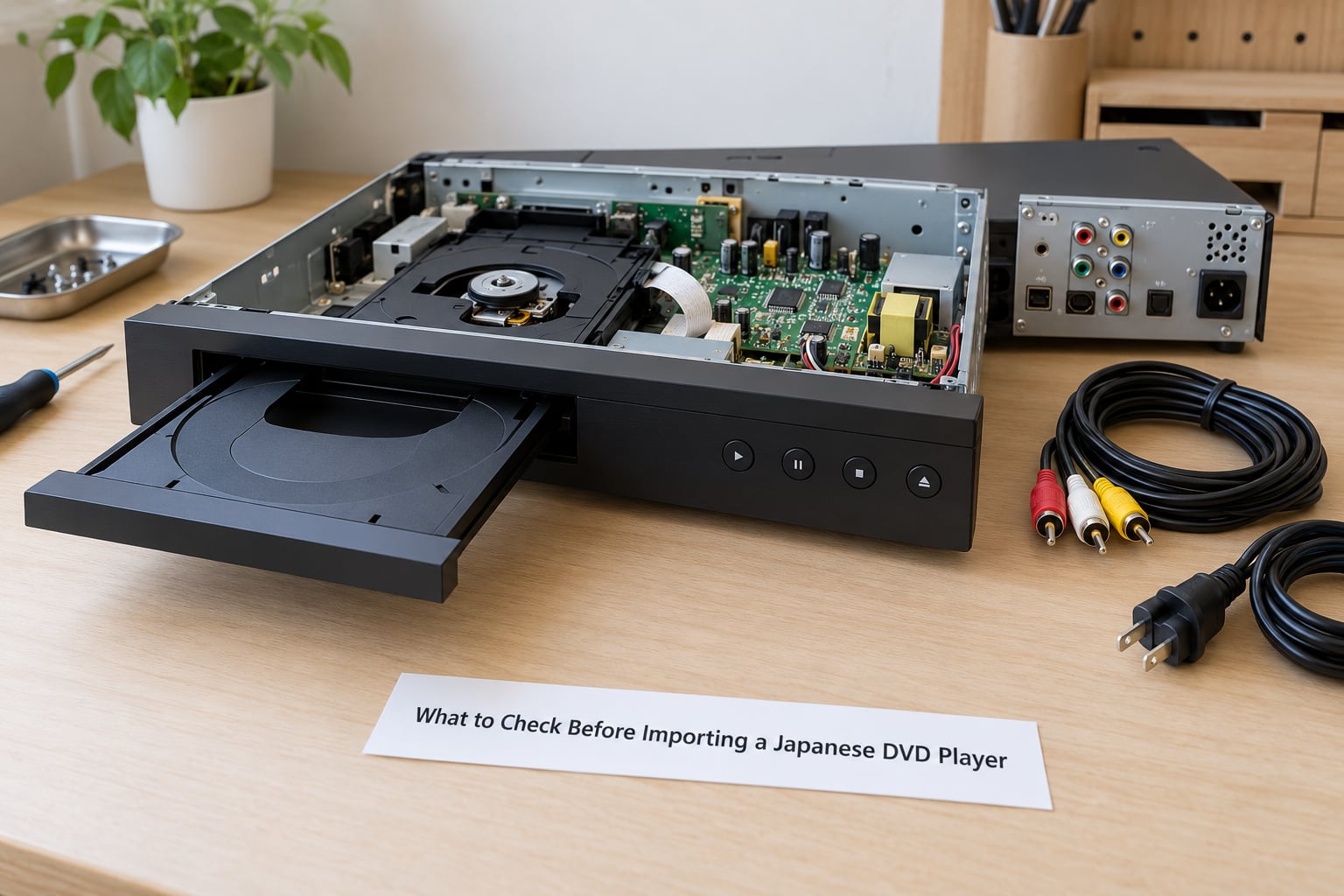
Importing a player from Japan usually means more problems than the region flag. Here is what to verify before you buy.
- Region support. Check the region list on the box or the manual. A Japanese-market unit is usually Region 2 only, so it may play fewer discs than a multi-region player you could buy locally.
- Built-in formats. DVD-only, DVD plus Blu-ray, or DVD plus Blu-ray and 4K. Japanese players are frequently DVD-only.
- Menu and on-screen language. Japanese-market units ship with Japanese menus and prompts, and collectors have reported imported players they could not operate at all because of this.
- Video standard output. Japanese hardware outputs NTSC. A unit sold without PAL-to-NTSC conversion will give you a rolling or distorted picture on European discs no matter which regions it supports.
- Connections. HDMI is now standard on new units, but older Japanese players may rely on composite or S-Video, which no modern television accepts.
- Power. Japan uses 100V at 50 or 60Hz depending on region. Check whether the unit is 100V only before plugging it in overseas.
- Tray and build. Front-loading trays are common in Japan and the discs need a protective sleeve in humid storage. Not a dealbreaker, just worth knowing.
- Seller condition and returns. Used Japanese-market electronics often arrive with non-English interfaces and no regional warranty support.
Region-free and PAL-converting players do exist on the Japanese domestic market, but they are specialist units rather than ordinary shop stock. Buying locally inside Japan avoids the language and power problems entirely.
How do I change the region setting?
Most standalone players with multi-region firmware expose a region setting in the setup menu. Computer DVD-ROM drives work differently: they usually allow five changes, and the drive then locks permanently to the last region you set.
The five-change limit catches people out. Set the drive to Region 1, then Region 2, then back to Region 1 a few times while troubleshooting, and it will lock to whichever region was set last.
One more caution on online listings: a seller describing a unit as “multi-region” is not always describing a machine that has actually been modified. Treat that marketing language as unverified unless the listing shows the real region support.
On legality: buying a region-free player is generally permitted in many countries, though rules differ. Circumventing the CSS encryption to copy or distribute discs is a separate matter and is restricted in several jurisdictions, including Japan. This article does not cover workarounds for that.
Why Some Japanese Discs Still Refuse to Play
When a disc will not play, the cause is usually one of four things, and the symptom usually tells you which.
| What you see | Likely cause | What to check |
|---|---|---|
| Error message about the region or area limitations | Disc region does not match the player | Region number on the disc and the player’s region setting |
| Player does nothing, no error at all | Player is set to the wrong region, or the disc is locked | Region menu setting; whether the pressing is studio-locked |
| Picture plays but is black and white, or rolls and bends | Video standard mismatch, not a region problem | NTSC disc on a PAL-only setup, or a player with no PAL-to-NTSC conversion |
| Audio but no picture, or no disc detected | Damaged disc, dirty lens, or an unsupported format | Surface scratches, lens cleanliness, whether the disc is DVD-R rather than DVD-Video |
The most common mistake is treating every failure as a region failure. “Playback prohibited by area limitations” is a region message. A rolling black-and-white picture is not — that is a video standard problem, and no region setting will fix it.
For anyone importing anime, the rule is simple: check the disc before you buy, not after it fails to load.
Frequently Asked Questions
Can I change the region setting on a Japanese DVD player?
Most multi-region standalone players have a region setting in the setup menu, and you can switch it as often as the unit allows. Computer DVD-ROM drives are different: most permit five changes and then lock permanently to the last region set. A Japanese-market player is usually Region 2 only, so changing the setting gains you nothing.
Are all DVDs sold in Japan restricted to Region 2?
Nearly all commercial DVD-Video pressed for the Japanese market carries the Region 2 flag, so a Region 1 player will refuse them. Home-recorded DVD-R and DVD-RW discs made in Japan carry no commercial region flag and play on any compatible player. Region 2 also covers Europe, Australia and New Zealand, which is why one label serves such different markets.
Is a DVD player from Japan automatically region free?
No. A Japanese-market player is normally Region 2 only, exactly like a player sold in Germany or the UK. Japanese hardware also tends to ship with Japanese menus and on-screen prompts, and is frequently DVD-only with no Blu-ray drive. If you want a player that handles discs from several regions, buy one sold as multi-region rather than assuming a Japanese import is more flexible.
Do region codes affect DVDs bought online from another country?
The region code travels with the disc, not with the seller or the shipping route. A Japanese DVD shipped to the United States is still Region 2 and a Region 1 player will still refuse it. Japanese Blu-ray is Zone A and plays on North American Zone B players with no modification, which is one reason importing Blu-ray is far easier than importing DVD.
Can a Japanese DVD player play Blu-ray discs?
Only if the unit has a Blu-ray drive. Many standalone DVD players sold in Japan are DVD-only, so no Blu-ray disc will load at all. If the player does have Blu-ray, Japanese discs are Zone A and will play on a Zone B player without any modification, and 4K Ultra HD Blu-ray carries no region coding whatsoever.
Why can a region-free DVD fail on a Japanese player?
Region-free hardware only removes the region check. It does not fix a video standard mismatch, a disc studio-locked at the authoring stage, an unsupported format, or a damaged disc. A Japanese player also outputs NTSC, so a PAL disc may play in colour only on hardware with PAL-to-NTSC conversion. Check the symptom, not just the region, before blaming the player.
What to Check First
Before you buy a player or import a disc, check three things in this order: the region printed on the disc, the regions your player supports, and whether the video standard matches your setup. That order tells you whether a purchase will work at all, or whether the money is better spent on a multi-region player.
Region coding exists to protect release windows and local pricing, not to block collectors. Understanding why Japanese DVD players are region coded is really just understanding who signed which distribution deal, and where that leaves the disc you are holding.