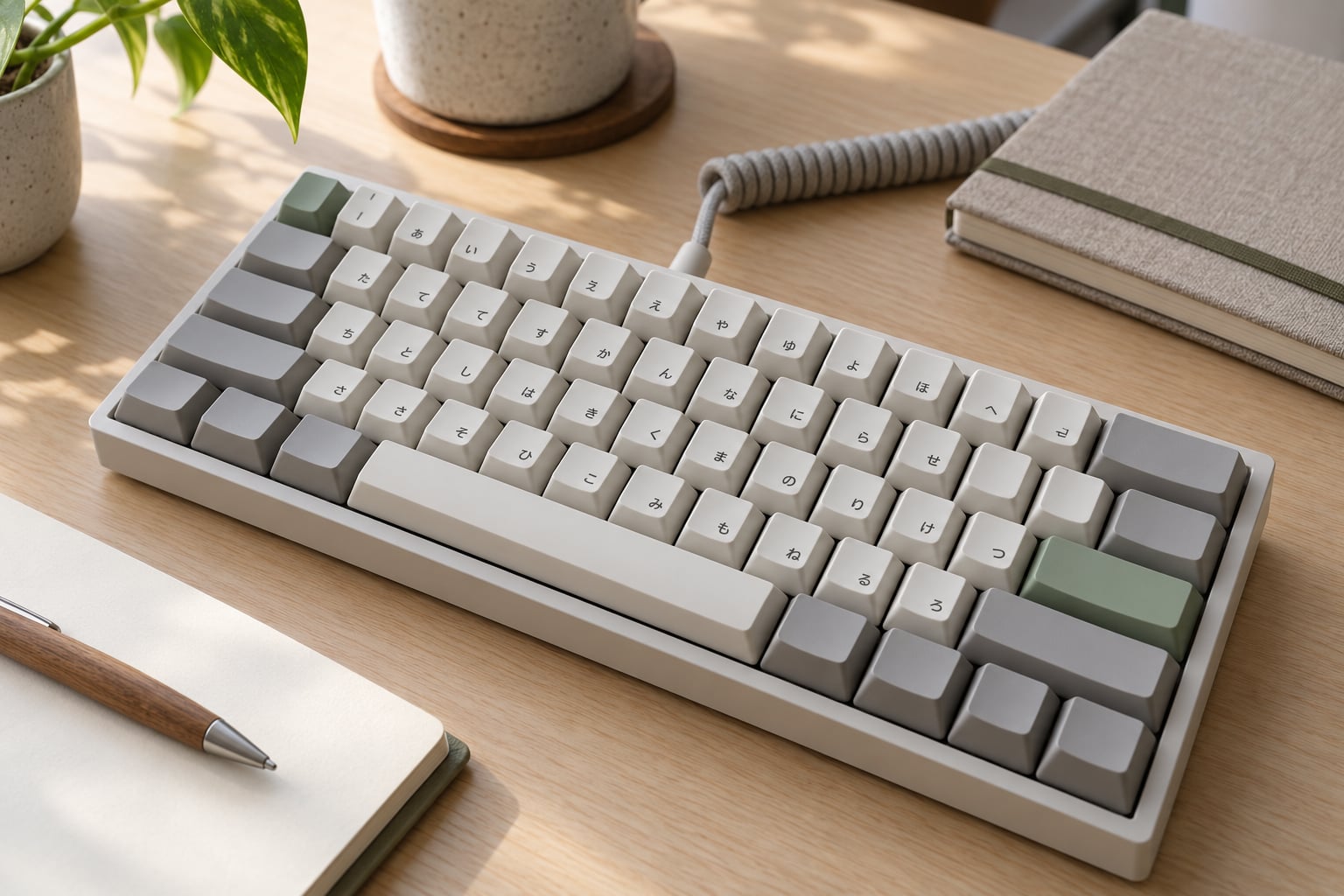
Japanese keyboards label keys differently because they follow the JIS layout, which prints a hiragana kana next to every romaji letter and adds keys that drive the Japanese IME. The extra legends are not decoration. They mark the conversion keys, the full-width and half-width toggle, and the yen symbol that a US keyboard prints somewhere else entirely.
Three things explain almost every strange label you will see on a Japanese board:
- Dual legends. Each letter key carries both a Latin letter and the kana that letter produces, so the same key serves English and Japanese.
- A JIS physical layout. Japan uses its own 109-key arrangement with a different Enter, Backspace, Shift and spacebar from the US 104-key board.
- IME keys. 変換 (Henkan), 無変換 (Muhenkan), 英数 (Eisu), かな and 半角/全角 exist only to drive the input method that turns romaji into kanji.
Table of Contents
- 1What Is the Japanese Keyboard Layout?
- 2Why Japanese Keyboards Label Keys Differently
- 3What Do the Kana Symbols on Japanese Keys Mean?
- 4Why Do Some Japanese Keys Have Extra Symbols?
- 5How Does Japanese Text Conversion Work?
- 6Why Japanese phones use 12 keys instead of a QWERTY board
- 7Why Japanese Keyboards Label Keys Differently From US Keyboards
- 8Can You Use a Japanese Keyboard Outside Japan?
- 9Which Japanese Keyboard Should You Choose?
- 10Frequently Asked Questions
- 11Why do Japanese keyboards have kana on the keys?
- 12Are Japanese keyboards compatible with English typing?
- 13What is the difference between a JIS keyboard and a US keyboard?
- 14Why does a Japanese keyboard have different punctuation symbols?
- 15Do I need a Japanese keyboard to type Japanese on a computer?
- 16Can I use a Japanese keyboard in an English operating system?
- 17Conclusion
What Is the Japanese Keyboard Layout?
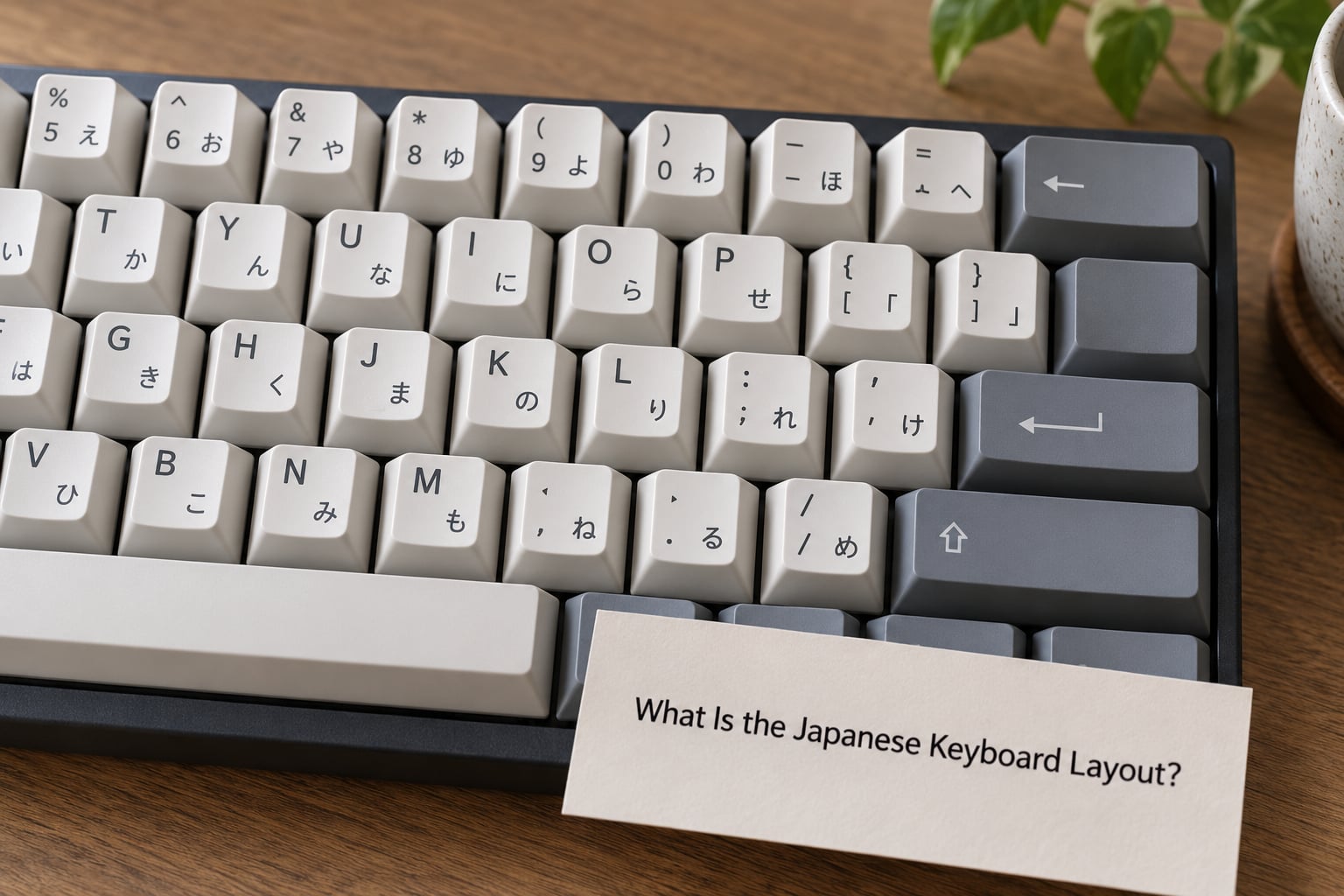
The short answer is that a Japanese keyboard is a QWERTY keyboard with a Japanese layout standard, a second set of printed characters, and five or six keys that a US board does not have.
That standard is JIS, the Japanese Industrial Standard. The physical arrangement is written up as JIS X 6002:1980 and produces what sellers call a 109-key JIS keyboard, against 104 keys on a US ANSI board and 105 on an ISO board. The letter order itself never changed. Japan kept QWERTY and added to it rather than replacing it.
It helps to separate two things that get tangled together. The physical layout is where the keys sit and how big they are. The visual layout, sometimes called the keycap legend layout, is what is printed on the caps. A board can have kana printed on it and still be physically American.
Underneath the printing, a Japanese board is a normal keyboard sending normal scancodes. The kana never comes off the key. The operating system’s input method takes the Latin letter you pressed, reads it as romaji, and converts it into hiragana or kanji. The conversion is done by software, not by the switch under the cap.
| Feature | JIS (Japanese) | ANSI (US) |
|---|---|---|
| Key count | 109 | 104 |
| Enter key | Tall, L-shaped, with a stub on the left | Single horizontal rectangle |
| Backspace | Single-unit, same width as a letter key | Double-unit, spans two key widths |
| Left Shift | Short, offset right, leaves a gap beside Z | Long, runs from Z to A |
| Spacebar | Narrower than ANSI | Wider |
| Backslash | No dedicated key; Alt with the yen key | Dedicated key to the left of right Shift |
| At sign | Dedicated key right of the number row | Shift with the 2 key |
| Yen sign | Dedicated yen key above the arrow cluster | Not on most US boards |
Why Japanese Keyboards Label Keys Differently
Japanese keyboards label keys differently because the board is designed for a language whose script is not Latin. The romaji letter is what the key physically types, the kana beside it is what that letter usually becomes inside a Japanese IME, and the extra keys control how and when that conversion happens. Every oddity traces back to those three jobs.
The root cause is old and mechanical. Japan built a generation of kana typewriters before it built word processors, and those machines had no conversion software. Each typebar could print one character and nothing else, so the character set had to be chosen physically: which letters are easiest to reach, which are rare, and which syllables deserve a key. The result is the layout you can see on those machines, later standardised into JIS.
That is why the kana positions look strange to anyone expecting the letter order to follow anything. On the top letter row, Q is た, W is て, E is い, R is す, T is か, Y is ん. The clustering groups syllables that Japanese writers use together, because a typewriter operator’s hands were trained by feel rather than by looking.
The same reasoning explains the number row. Keys 1 through 0 give の に ら せ た ち や ゆ よ わ in kana-shift mode, which duplicates several letters on purpose so that rarer characters get room on the typebars. Nothing about it was designed for a computer. It was inherited.
What Do the Kana Symbols on Japanese Keys Mean?
The small characters on a Japanese keycap are kana, the phonetic half of the Japanese writing system. Hiragana covers ordinary words, katakana covers foreign words, onomatopoeia and emphasis, and kanji characters are borrowed from Chinese and sit on top of both.
The kana on the key is a default, not a command. Press Q and, with Japanese input active, you get the sound ta. Depending on what follows, the IME may render it as た, as a different kana or katakana equivalent, as a kanji word such as 他 or 多, or leave it as the letter q.
| Row | Keys and their kana |
|---|---|
| Top letter row | た て い す か ん な に ら せ |
| Home row | ち と し は き く ま の り |
| Bottom letter row | つ さ そ ひ こ み も |
| Number row | の に ら せ た ち や ゆ よ わ |
Modern typing is almost always romaji-direct, which means the letters come first and the conversion happens after. Direct kana input, where the key prints kana the instant you press it, still exists on some boards and is faster once your hands know it, but it is the harder path to learn.
Kana are also why Japanese has no distinct L sound. Many speakers merge their R and L, so an R printed beside ら and an L printed beside り can sound identical in ordinary speech. It is a pronunciation point rather than a layout one, but it surprises people learning the keyboard.
Why Do Some Japanese Keys Have Extra Symbols?
The extra symbols come from two directions. Some are the JIS layout moving symbols so that kana can use the familiar positions. Others are labelled with words instead of characters, because they are commands to the input method rather than symbols to print.
One key on a standard 109-key JIS board can carry up to four printed characters. The unshifted and shifted symbols are fixed by JIS. The kana is what the key means in kana-shift mode. The fourth marking is usually the Alt-combo symbol, and it is the one people miss.
| What you see | Where it is on a US board | What it does on a Japanese board |
|---|---|---|
| Shift with 2 gives “ | Shift with 2 gives @ | Quote mark; the @ moved to its own key |
| @ on its own key, right of P | No such key | Types @, and Alt with it gives the backtick |
| ¥ key above the arrow cluster | Usually the backslash key | Types ¥, or a vertical bar with Shift, and a backslash with Alt |
| Tilde on the key left of 1 | Backquote key | Types a tilde in Japanese input; the backtick moved to Alt with @ |
| 変換 (Henkan) | None | Convert: ask the IME for the next reading, or a katakana version |
| 無変換 (Muhenkan) | None | Do not convert: commit what is typed as plain kana |
| 英数 (Eisu) | None | Alphanumeric lock: return to direct Latin input |
| かな (Kana) | None | Hiragana/katakana toggle inside Japanese input |
| 半角/全角 | None | Switch between half-width and full-width characters |
| 大文字/小文字 on Caps Lock | Caps Lock | Caps Lock doubles as kana shift on a Windows JIS board |
Windows and Apple label the same cluster differently, which trips up anyone moving from an office PC to a MacBook.
| Function | Windows JIS legend | Apple JIS legend |
|---|---|---|
| Convert | 変換 | 変換 |
| Do not convert | 無変換 | 無変換 |
| Alphanumeric | 英数 | 英数 |
| Hiragana/katakana | かな or IME key | かな |
| Half-width/full-width | 半角/全角 on some models | 半角/全角 near the number row |
| On laptops | 無変換 often shares with Alt | 英数 and かな sit under the globe/fn key |
If a JIS board is labelled with a Windows legend set, the labels are still correct for the hardware. What matters is that the operating system is told the board is Japanese, which is where most wrong-symbol problems start.
How Does Japanese Text Conversion Work?
Japanese text conversion runs through an IME, a piece of software that sits between your keyboard and your application. You type Roman letters, the IME reads them as romaji, and it guesses the Japanese you meant.
The spacebar carries most of the weight. Type arigatou and press space, and the IME offers ありがとう. Press space again and it cycles to the next candidate, often with different kanji. Press Enter to commit the reading shown. Press 無変換 instead and the raw katakana gets committed without a conversion cycle, which is what you want for names and product codes.
Conversion keys carry extra meaning on top of that. A first press of 変換 converts the text under the cursor, a second press converts only the selection, and a third switches to katakana. 英数 drops straight back to Latin input without cycling anything.
Inside Japanese input, Shift toggles between full-width and half-width forms, so A and A and ア and a are all the same key in different modes. This is why copied text from Japanese machines sometimes arrives with full-width Latin letters that look odd in an English document.
Why Japanese phones use 12 keys instead of a QWERTY board
People often ask whether Japanese users type on 12 keys or on QWERTY, and the honest answer is both, in different places. Computers, laptops and mechanical boards are overwhelmingly 109-key JIS or close to it.
Phones are almost all 12-key flick input. The keys show あ か さ た な, and one tap gives the plain character while a flick in a direction gives another row: flick up for いうえお, flick right for かきくけこ, flick left for さしすせそ, flick down for なにぬねの. A quick double tap adds the voiced or semi-voiced mark. It is faster than QWERTY for a Japanese typist and unusable for typing English, which is why phone keyboards switch layouts for the two languages.
Why Japanese Keyboards Label Keys Differently From US Keyboards
The label differences and the shape differences are one story, not two. Japan kept the QWERTY letter arrangement, then reworked the edges of the board so that the extra kana characters and the conversion keys would fit.
Enter is the change people notice first. The JIS Enter is a tall L with a small stub on the left, so pressing it returns and enters in one press. Backspace on a JIS board is a single-unit key rather than the wide key on ANSI. The left Shift is short and pushed right, which puts a gap between it and the Z key so that ZXCVBNM stays a straight row. The right Shift is trimmed to make room for the arrow cluster and the yen key, and the spacebar loses width to pay for all of it.
Then the symbols move. The at sign leaves the 2 key and takes a key of its own, so 2 can carry a double quote. The backslash disappears from between left Shift and Z, and the yen key takes its place on the right instead. US keyboards use the backslash constantly for paths and code; on a JIS board you reach it with Alt.
One myth is worth clearing up. Kana legends do not make a board JIS. The anime keycap sets sold online are printed with kana and romaji, but their Enter, Backspace, Shift, spacebar and extra keys are American, because the sets are modelled on a US board. Fit them to a real 109-key Japanese keyboard and the bottom row will not sit down properly. The legends are cosmetic; the standard is about physical shape.
Related to that myth: many people assume the letter order on a Japanese board is different. It is not. QWERTY is QWERTY, with kana sitting beside it.
Can You Use a Japanese Keyboard Outside Japan?
Yes, and it is the most common way foreigners end up owning one. A Japan-market laptop, a used ThinkPad from Tokyo or a wireless JIS board all work fine on English Windows or macOS, but the operating system has to be told the board is Japanese. Until it is, every symbol comes out wrong.
The classic symptom is Shift with 2 producing a quote when you wanted an at sign, and the yen key producing a backslash. The physical key sends the same code either way. The difference is in how the layout the operating system loaded maps that code, and a board set to US ANSI will map it the American way.
On macOS, open System Settings, then Keyboard, then Text Input. Use Edit in Input Sources, add Japanese, and make sure the Japanese entry uses the JIS option rather than the Roman-only one. If symbols are still wrong, run Keyboard Setup Assistant and set the keyboard type to JIS.
On Windows 11, go to Settings, then Time and language, then Language and region, open Japanese, choose Language options, open the three-dot menu and add Japanese (JIS). Windows 10 users find the same list under Control Panel, Region, Language. Once Japanese is set, Win+Space or Alt+Shift switches between English and Japanese input.
A few more things worth knowing before you order one abroad. Japanese-market laptops have different power connectors, and the yen key and the missing backslash will annoy you if you write code. Warranty service outside Japan can be awkward. And the kana caps are only useful if you actually read Japanese, since a board with blank Latin caps does the same job with less visual noise.
Which Japanese Keyboard Should You Choose?
Pick by how you will use it, not by how authentic it looks. The layout matters far more than the brand or the switch.
A full-size 109-key JIS keyboard is the right call if you type Japanese every day in Japan. You get the dedicated conversion keys, a proper yen key and a full-size arrow cluster. This is what office machines and most desktop boards sold in Japan come with.
A laptop JIS keyboard saves space by merging keys, often putting 無変換 on the same key as Alt and shifting 変換 next to the spacebar. It works, but if you are buying a laptop in Japan and expect to type for years, check which functions share a key before you settle.
A wireless JIS board is the easiest option for a desk in Japan, since Bluetooth models pair with a Mac or Windows machine and switch between devices. Confirm the model is JIS and not the 106-key US board with a yen key, which looks Japanese but is physically American.
For mechanical boards, established JIS models include the HHKB Professional JP and the Realforce R3S in its JIS version. Anything sold with kana-printed keycaps but ANSI shapes is a novelty set, not a JIS board, and the stabiliser and spacebar sizes will not match a 109-key case.
And be honest about whether you need it. If you are studying Japanese but typing in English most of the time, a US keyboard with a Japanese IME gives you the same characters and none of the symbol shifting. Reserve a JIS board for people who work in Japanese, collect Japanese keyboards, or spend their days in Japan. Buying one to look the part is how people end up unable to type a backslash.
Frequently Asked Questions
Why do Japanese keyboards have kana on the keys?
Because a Japanese keyboard is designed for a script that is not Latin. Each key prints the romaji letter it physically sends and the hiragana that letter normally becomes inside a Japanese IME, so one key serves both languages. The arrangement came from kana typewriters, where each key could print only one character and physical key choice mattered. Software now does the conversion, so the kana printing is a reference and a legacy.
Are Japanese keyboards compatible with English typing?
Yes. A Japanese keyboard sends ordinary Latin key codes, so it types English normally the moment the operating system treats it as a JIS layout. What catches people out is symbol mapping: Shift with 2 gives a double quote, the at sign has its own key, and the yen key gives you a backslash only with Alt. Add Japanese as an input source and both languages work from one board.
What is the difference between a JIS keyboard and a US keyboard?
A JIS board has 109 keys, an L-shaped Enter, a single-unit Backspace, a short left Shift set back from Z, a narrower spacebar and a shortened right Shift. A US ANSI board has 104 keys, a rectangular Enter, a wide Backspace and a dedicated backslash key. JIS also moves the at sign to its own key and puts the yen key above the arrow cluster.
Why does a Japanese keyboard have different punctuation symbols?
The number row had to make room for kana. Keys 1 through 0 give の に ら せ た ち や ゆ よ わ in kana mode, so symbols were relocated: the double quote now sits on Shift with 2 and the at sign got its own key. The backslash lost its usual spot and moved to Alt with the yen key. Those shifts follow the JIS standard, not your software.
Do I need a Japanese keyboard to type Japanese on a computer?
No. Any keyboard can type Japanese once a Japanese IME is installed, because the software converts romaji into kana and kanji regardless of what is printed on the caps. A JIS board adds convenience: dedicated conversion keys, a full-width toggle, a yen key and printed kana for reference. If Japanese is a small part of your typing, a US board with a Japanese IME is simpler.
Can I use a Japanese keyboard in an English operating system?
Yes, and it is extremely common for expats and Japan-market hardware owners. Add Japanese as an input source in System Settings on macOS or Language and region on Windows 11, then choose the JIS option so the symbol mapping matches the board. If symbols still come out wrong, set the keyboard type to JIS using Keyboard Setup Assistant on macOS.
Conclusion
Japanese keyboards are labelled differently for three reasons: kana shares the letter keys, JIS rearranged the edges of the board to fit them, and a set of conversion keys handles Japanese input. Nothing about it is decorative, and none of it changes the Latin letters your key sends.
The first thing to check before anything else is the physical layout, not the printing. Count to 109 keys and look for the L-shaped Enter and the narrow spacebar; if they are there, it is a JIS board. Then set your operating system to Japanese (JIS) so the symbols line up, and pick the board size that matches how much Japanese you actually type.